
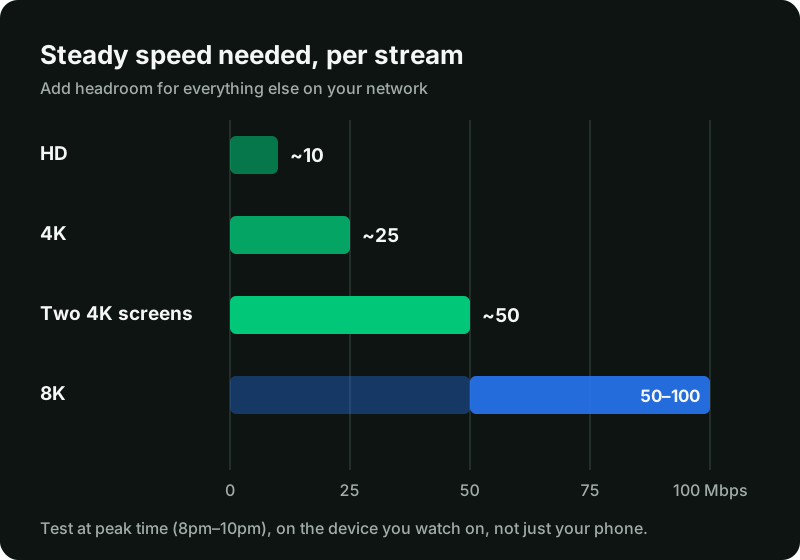
How much speed per stream
| What you watch | Steady speed per stream |
|---|---|
| HD | About 10 Mbps |
| 4K | About 25 Mbps |
| Two 4K screens at once | About 50 Mbps |
| 8K, where available | About 50 to 100 Mbps |
The word that matters is steady. A connection that averages 40 Mbps but drops to 8 Mbps for a few seconds will buffer, even though the average looks fine.
Add it up for your household
Count every stream that plays at the same time, then add headroom for everything else: video calls, game downloads, phones backing up photos. For example:
- one 4K TV plus one HD tablet: about 35 Mbps, so aim for 50 Mbps
- two 4K TVs: about 50 Mbps, so aim for 70 Mbps or more.
Your plan’s screens set how many streams can play at once. Your broadband sets whether they play smoothly.
How to test properly
- Test on the device you watch on. Many TV sticks have a speed test app, or you can open a speed test site in the device’s browser.
- Test at peak time. UK broadband is busiest between about 8pm and 10pm, and on weekend afternoons during live sport.
- Test twice: once on Wi-Fi where the TV is, and once next to the router. A big difference means the problem is Wi-Fi, not your broadband.

Fix Wi-Fi before you upgrade
Upgrading your broadband rarely helps if the signal is weak where the TV is. In order of impact:
- Use a wired connection. An Ethernet cable, or an Ethernet adapter for a Fire TV Stick, removes most Wi-Fi problems.
- Move the router out of cupboards and away from the TV’s back panel.
- Use the 5 GHz band if the TV is in the same room as the router, or a mesh system if it is not.
- Use an HDMI extender so a streaming stick is not hidden behind the TV.
When the problem is not your speed
If a wired connection with plenty of speed still buffers on every channel, try a different device, then a different app. If it only happens on one channel, it is likely that channel. Our buffering guide works through each step in order.